PECTAA Grade 8 Registration 2026-Complete Registration Process


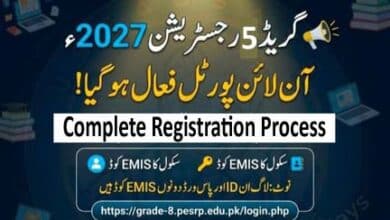
Punjab Education, Curriculum, Training and Assessment Authority (PECTAA) has activated the registration portal for PECTAA Grade 8 Registration 2026 today, on June 6, 2026. According to the latest notification issued on May 15, 2026, all Grade 8 students studying in public schools across Punjab must complete their registration through the Item Bank System (IBS) within the prescribed timeline.
The registration process is an important step for students who wish to appear in the upcoming Grade 8 Annual Examination 2027. School heads and district education authorities have been directed to ensure the timely completion of registration using official school login credentials on the IBS portal.
PECTAA Grade 8 Registration 2026 Schedule
The authority has announced the official registration timeline for Grade 8 students.



- Registration Start Date: 8th June 2026
- PECTAA Grade 8 Registration 2026 Last Date: 08 July 2026
All institutions are advised to complete student registrations before the closing date to avoid any inconvenience. The authority may not entertain late submissions.
Registration Through Item Bank System (IBS)
The registration process will be conducted exclusively through the Item Bank System (IBS). Schools must use their official login credentials (EMIS Code) to access the system and submit student information.
The IBS platform has been introduced to streamline examination management and maintain accurate records of students appearing in annual examinations.
Information Required During Registration
Schools must ensure that all student information is entered correctly. The following details are mandatory during registration:
- Student Name
- Father’s Name
- Date of Birth
- B-Form Number
- Subject Combination
- School Information
- Parent/Guardian Contact Number
- Email Address (Optional)
- Proposed Examination Center
- Proposed Nearby Bank
Important Instructions for Schools
PECTAA has issued several instructions for heads of institutions regarding student registration.
1. Verify Date of Birth
Schools must ensure that the student’s Date of Birth entered in the Online Enrollment Form matches the official educational record.
2. Responsibility of the Institution Head
Any discrepancy in the Date of Birth will be the responsibility of the Head of Institution.
3. Age Correction Policy
Requests for age correction will be processed only in accordance with the rules and regulations established by PECTAA.
4. Complete Registration Before Deadline
Institutions must complete all registrations by July 8, 2026.
5. Upload Recent Passport Size Photograph
Every candidate must submit a recent passport-size photograph that fulfills the official requirements.
Photograph Requirements for Grade 8 Registration
PECTAA has also issued detailed guidelines regarding student photographs. Failure to follow these requirements may result in rejection of the registration or issues during examination admission.
Required Photograph Specifications
- Recent passport-size photograph
- Professionally taken photo
- White background
- Clear contrast
- JPG format
- File size between 10KB and 25KB
- Minimum resolution of 600×800 pixels
- Dimensions of 4.5cm height × 3.5cm width
Additional Photo Guidelines
The photograph must:
- Show the full head, face, and shoulders clearly.
- Have a neutral facial expression.
- Face directly toward the camera.
- Not include caps, face coverings, or sunglasses.
- Contain only the student’s image.
- Not be cropped from a larger photograph.
Following these requirements will help ensure smooth verification and examination processing.
How To Register on IBS? – Complete Procedure
🔗 Login Portal: https://grade-8.pesrp.edu.pk/login.php
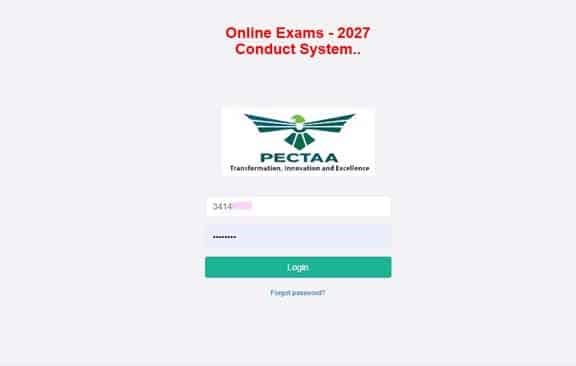
Step 1: Login
- Use your school’s EMS Code as both the Username and Password.
- After logging in, immediately change your password.
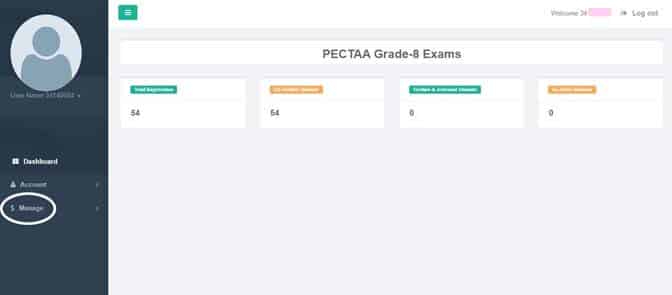
Step 2: Open the Student List
- From the left-side menu, click on Manage under the Dashboard.
- Then click on Manage Students.
- A complete list of students enrolled in your school will appear.
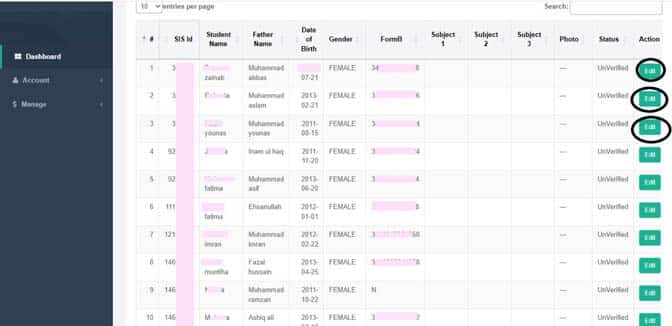
Step 3: Complete Student Information
- Click the Edit button in front of each student’s name.
- The student profile will open.
The following fields will already be auto-filled, but they can be edited if necessary:
- Student Name
- Father’s Name
- Date of Birth
- Gender
- B-Form Number
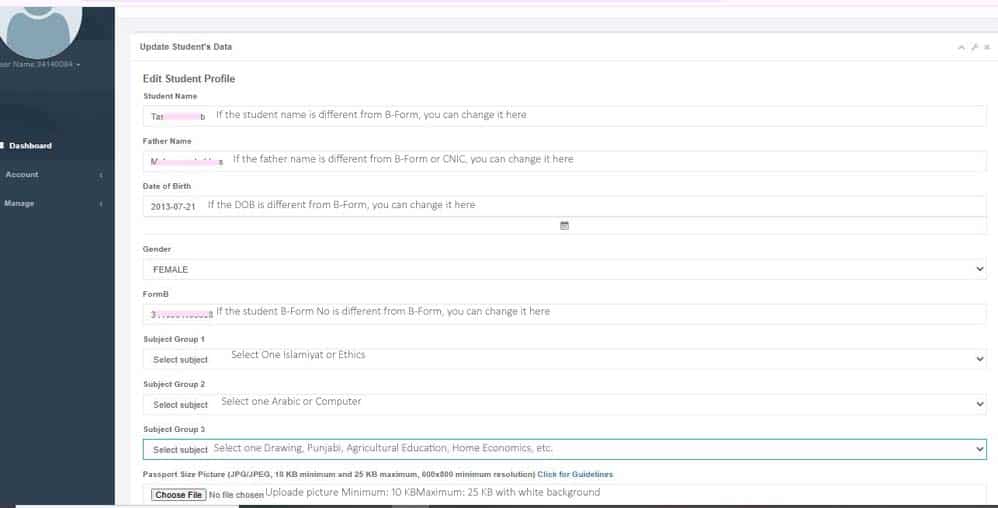
Step 4: Select Optional Subjects
Choose the following optional subjects for each student:
- Islamiat or Ethics
- Arabic or Computer
- Drawing, Punjabi, Agricultural Education, Home Economics, etc.
Step 5: Upload Student Photograph
- Upload a recent passport-size photograph.
- The background must be white.
- Photograph size requirements:
- Minimum: 10 KB
- Maximum: 25 KB
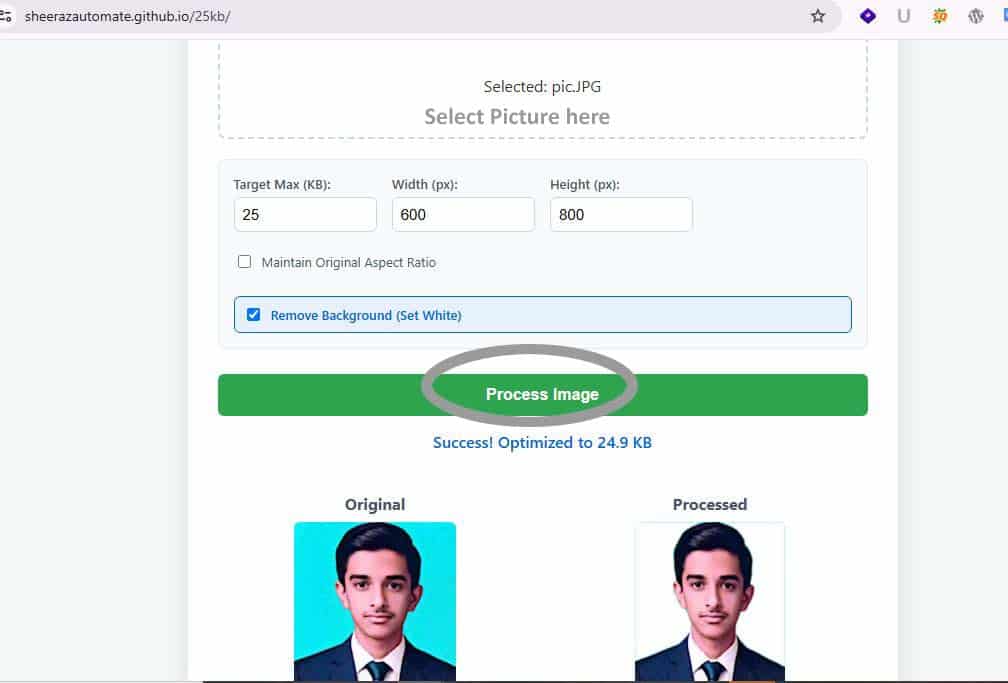
Step 6: How to Set a White Background and 600×800 Resolution?
You can change the colour picture to a white background and set the resolution to 600×800 (pixels). Visit this website https://sajidaeo39.github.io/Pic-Tool/. See the 1 picture result below
Step 7: Complete Registration
- Change the Status to Active.
- Click the Update button to save the record.
✅ The Grade 8 student registration process will now be completed successfully.